Your references.
Always ready.
Stop losing inspiration in your camera roll. Inspra keeps every reference image organised by category and one tap away — on set, whenever you need it.
Free to download · No account required · iPhone and iPad
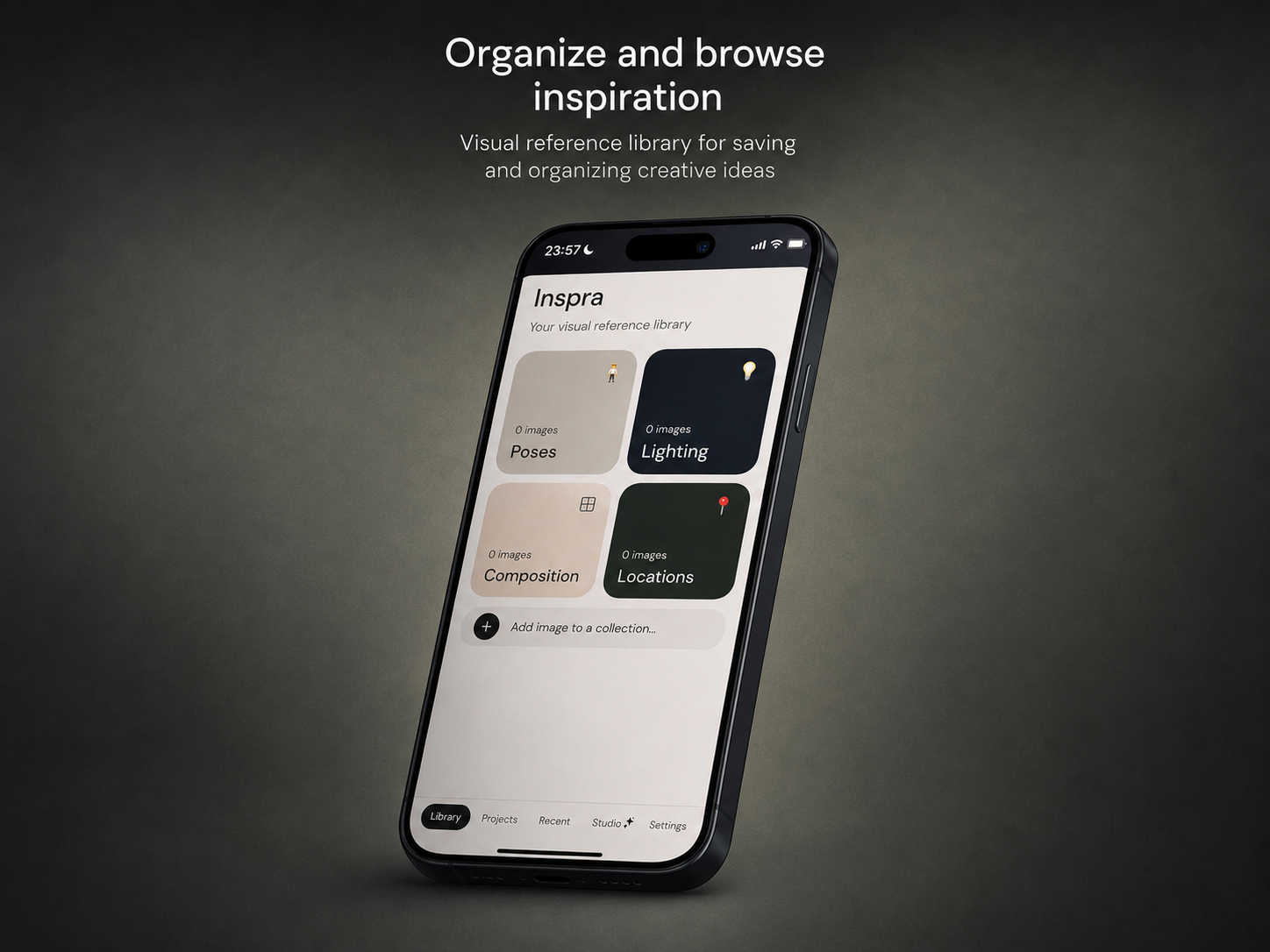
Your references are scattered everywhere.
Screenshots buried in your camera roll. Saves on Instagram you can never find again. Pins on Pinterest. Bookmarks in Safari. And when you're on set and need that lighting reference — you can't find it. Inspra fixes that.
One place for every
creative reference.
Poses
Save pose references from anywhere and access them in one tap during a shoot. No more scrolling through thousands of camera roll photos trying to find the one you saved last week.
Lighting
Build a library of lighting setups that inspire you. Rembrandt, split, golden hour, strobe — save it once and reference it on set without hunting for the original source.
Composition
Frame your shots with intention. Save composition references that guide your eye and help you replicate the look you're going for before you even raise the camera.
Locations
Save location ideas, scouting photos and mood references before a shoot so you arrive knowing exactly what you're looking for and where to find it.
Projects
Create a board for every shoot or client. Pull references from your library into one focused view — everything you need for that job, with notes and shoot details attached.
Swipe on set
Open any image full screen and swipe through your whole collection with one hand. Built for the moments between shots when you need to check a reference quickly.
AI tools built
for your workflow.
Studio brings AI-powered tools directly into your creative process — no switching apps, no copy-pasting. Everything your shoot needs, in one place.
Shot List Generator
Describe your shoot and get a complete, organised shot list in seconds — tailored to your subject, location and style.
Client Communications
Draft professional emails to clients — confirmations, follow-ups, deliverable notes — in your voice, instantly.
Caption Generator
Generate polished social media captions for your photos — engaging, on-brand and ready to post.
The most capable
version yet.
AI Studio tools
Shot List Generator, Client Communications and Caption Generator — all powered by AI, all inside the app.
iPad support
Full width layout across all iPad sizes in both portrait and landscape.
Multi-select images
Pick as many images as you want at once when adding to any category or project.
Project notes
Add a brief, mood or shoot details to any project. Tap to edit any time.
Permanent storage
Images are saved permanently to your device — they stay even after app updates.
Seamless gallery
Swiping between images is completely smooth — no flash or break between slides.
iPhone and iPad.
Inspra scales perfectly to every iOS device — from iPhone SE to the largest iPad Pro, in portrait and landscape. Your references are always exactly where you left them.
iPhone — all sizes
Optimised for one-handed use on set. Every screen size supported.
iPad — full width
More columns, more references at a glance. Portrait and landscape.
Android — coming soon
Full Android support for phones and tablets is in development.
Inspra Pro.
Take your reference library further. Pro adds cloud sync, account-based access across all your devices, and shared projects so your whole team is always working from the same references.
Cloud sync
Your entire reference library backed up and synced across every device you own.
Account-based
Sign in with Apple or email. Your library follows you everywhere you go.
Shared projects
Invite clients and vendors to view your reference boards — no app required on their end.
Unlimited everything
No limits on images or projects. Build the library your work actually needs.
Real-time sync
Collaborators see changes instantly. Always working from the same version.
Client view
Share a link. Clients see your reference board in a browser — nothing to download.
Built for people who
shoot with intention.
"I've been looking for something exactly like this. My camera roll is a disaster and I always lose the references I save on Instagram. Inspra finally fixes that."
"The Projects feature is exactly what I needed. Before a client shoot I pull everything into one board and I'm not scrambling on set trying to remember what we planned."
"Simple, clean, does exactly what it says. Love that there's no account needed — I just opened it and started saving references immediately."
Start building your
reference library today.
No account. No setup. Open the app and start saving. Upgrade to Pro any time.
Free tier · No account required · iPhone and iPad